
Fix pixelated image
Fix a Pixelated Image — Free, Online, with AI
Pixelation means the pixels ran out. The AI estimates the edges and texture the blocks replaced, so enlarged screenshots, compressed downloads and blown-up crops read sharp again.
Drop your pixelated image here
or click to choose a file
JPG · PNG · WEBP · up to 10 MB — only upload images you own or have the right to use.
Sign in to process your image
2 free credits on sign-up · no credit card required
You are out of credits
Choose a plan or a credit pack to keep processing. Failed jobs do not use credits.
Example
What a pixelated image looks like to the tool
This game capture was saved at a fraction of its size and scaled back up — the regular block grid you get when an image is enlarged past the detail it actually carries.
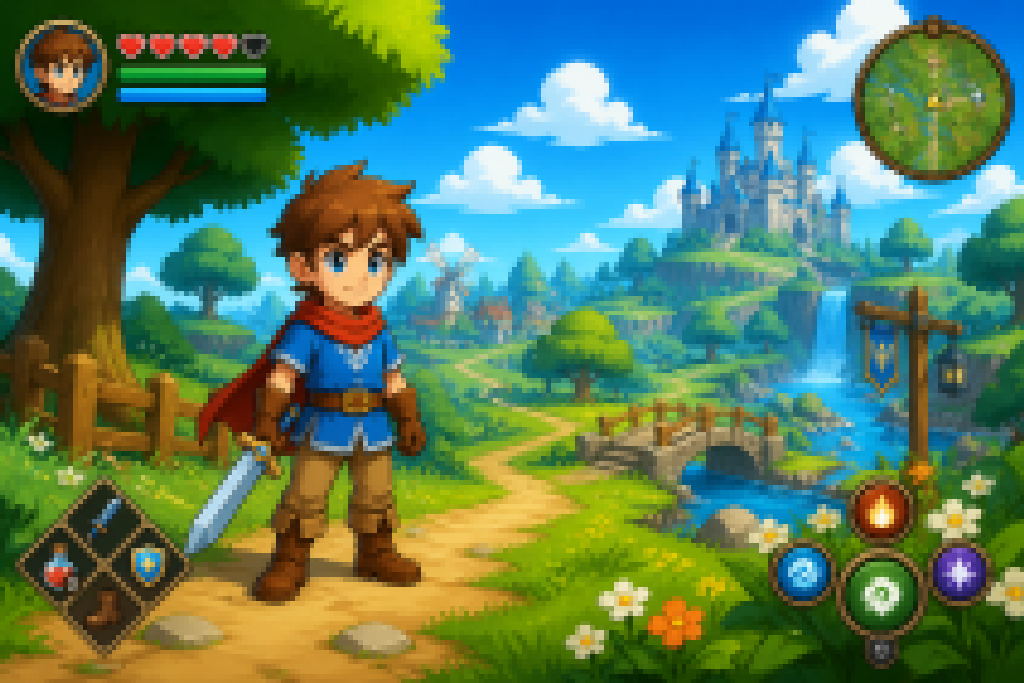 Before
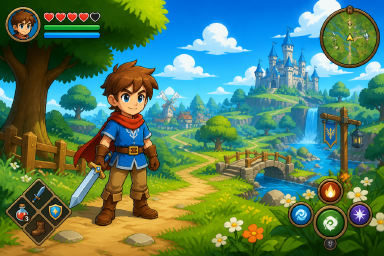 After
AfterHow it works
How to fix a pixelated image
Upload your image
Sign in with Google and drop a JPG, PNG or WEBP up to 10 MB. Your free credits are attached to your account — no credit card required.
The AI estimates the missing detail
The model reads the structure that survives inside each block and estimates the edges and texture the resolution loss destroyed, instead of only raising contrast.
Compare and download
Drag the before/after slider; if the reconstruction reads the way you need, download the result. Standard costs 2 credits, HD 8 — failed jobs are refunded automatically.
Causes
Why images get pixelated in the first place
Too few pixels, stretched too far
An image enlarged past the pixels it actually has — a thumbnail blown up for printing, a zoomed crop, a screenshot resized for a larger screen. Every source pixel becomes a visible block.
JPEG compression artifacts
JPEG saves space by discarding detail, and aggressive settings leave 8×8 blocks and ringing around edges. Every re-save stacks another layer of loss on top.
Generation loss from resending
A screenshot of a screenshot, a photo forwarded through three messaging apps — each hop re-compresses the file. Ten copies later, the blocks are visible without zooming.
Not sure which case you have? Zoom to 200%. Blocks that line up in a regular grid mean pixelation — this page is the right one. Soft, smeared edges without a grid mean blur, which is a different problem: see how to unblur an image.
Manual methods
What you can do by hand — and where it stops
Go back to the source
The one fix that loses nothing. Ask for the original file, re-render the PDF at a higher zoom, re-capture the screen at native resolution. If the source still exists, this always beats repairing a degraded copy.
Photoshop
Image Size with Preserve Details 2.0, then Smart Sharpen, softens mild blocking convincingly. It interpolates between existing pixels rather than estimating new detail, so heavy pixelation stays blocky. The full trade-off is in our Photoshop comparison.
GIMP (free)
Scale Image with the LoHalo/NoHalo filters plus an Unsharp Mask does the same job with more fiddling — the same ceiling applies. Prefer the browser? A free editor like Photopea works the same way.
| Fix it with AI (this tool) | Fix it by hand | |
|---|---|---|
| Cost | 2 credits Standard / 8 HD — free credits on sign-up | Free editors, or a Photoshop subscription |
| Time | About 30 seconds per image | Minutes, plus the skill to judge the result |
| Ceiling | Estimates detail back into heavily blocky images | Softens blocks on mild cases; the grid survives on heavy ones |
| Best for | Photos, screenshots and scans where the blocks are obvious | Light pixelation, or a final polish after a reconstruction |
What to expect
What the AI can fix — and what it cannot
Works well
Images whose structure is still intact: screenshots enlarged past their native size, over-compressed downloads, small photos blown up for printing. The blocks follow a grid, and the model estimates the edges and textures the grid replaced.
Out of reach
Content that was hidden before the image degraded. unpixelate.net does not remove censorship, redaction or mosaic blur that was applied on purpose — once the detail itself is gone, anything the model puts in its place would be invention, not recovery.
Every result carries the same disclaimer: output is a plausible estimate, not a factual restore of the original. For the background in depth, read how to unpixelate an image or how to unpixelate a screenshot.
FAQ
Fixing pixelated images — frequently asked questions
What is the fastest way to fix a pixelated image?
If the original exists, go back to it — re-request the file, re-render the document or re-capture at full resolution. Nothing beats the source. Otherwise, AI reconstruction is the fast path: upload the image and the model estimates the missing detail in about thirty seconds, where manual resample-and-sharpen workflows only help on mild cases.
Can Photoshop really fix pixelation?
Partly. Resampling with Preserve Details 2.0 plus sharpening can soften mild blocking, but Photoshop interpolates between existing pixels — it does not reconstruct detail that is not there. On a heavily pixelated image the grid usually survives. We compare the two approaches side by side in our Photoshop comparison.
Why do photos get pixelated when they're sent to me?
Messaging apps downscale and re-compress attachments to save bandwidth, and every hop through a chat, a screenshot or a re-save adds another layer of loss. The fix at the source is to ask for the original file; our guide on why pictures get blurry when sent covers the settings that help.
How do I fix a pixelated image without losing more quality?
Work from the most original copy you have, make one pass, and keep the result at the output resolution instead of re-saving it through more apps. Each additional re-compress is another generation of loss. The AI reconstruction is a single pass from your upload to the delivered size.
Can you make the text in a pixelated screenshot readable?
Often, yes — letterforms are highly structured, which makes them a strong case for estimation. We keep a dedicated tool page for that job: unpixelate text in screenshots. Text that was covered up on purpose stays out of reach everywhere.
Is this tool free? Do I need an account?
Sign-up includes 2 free credits — enough for one Standard run — and no credit card is required. After that, Standard output costs 2 credits per image and HD 8; failed jobs are refunded automatically.
What happens to my uploaded photo?
Uploads go to our AI provider for processing and are kept for at most 14 days, then deleted automatically. Your images are never used to train models. The Privacy Policy has the details.
More questions? See the frequently asked questions page.
More pixel tools
Related jobs, one toolbox
Unpixelate image (AI)
The main tool: full photos, faces, textures and scenery, reconstructed in the browser — no install, no watermark.
Unpixelate text
Blocks in a screenshot standing between you and the words? The text-focused page gets chat history, code and receipts readable again.
Pixelate image
The reverse job, and the only way to undo-proof an image: cover faces, plates and codes with an in-browser mosaic before sharing.
Got a blocky image?
Start free — 2 credits on sign-up, no credit card required.
Fix your pixelated image